
External File Storage Module for Document Attachments in Business Central
As Business Central environments continue to grow in complexity and data volume, partners and customers alike face a recurring challenge: managing the exponential growth of database size, particularly due to file attachments, logs, and ledger entries. While retention policies and archiving strategies offer partial relief, they often fall short of addressing the root issue—Business Central’s native limitations in offloading non-critical data to external systems.
To address this gap, I am pleased to introduce the new External File Storage module, a robust and extensible solution designed to offload file-based data from the Business Central database to external cloud storage providers.
Module Overview
The External File Storage module introduces a unified API layer that allows Business Central to interact with various external storage providers, including:
- Azure Blob Storage
- Azure File Services
- SharePoint
The architecture is designed to be extensible, enabling partners to implement custom connectors for additional storage backends as needed.
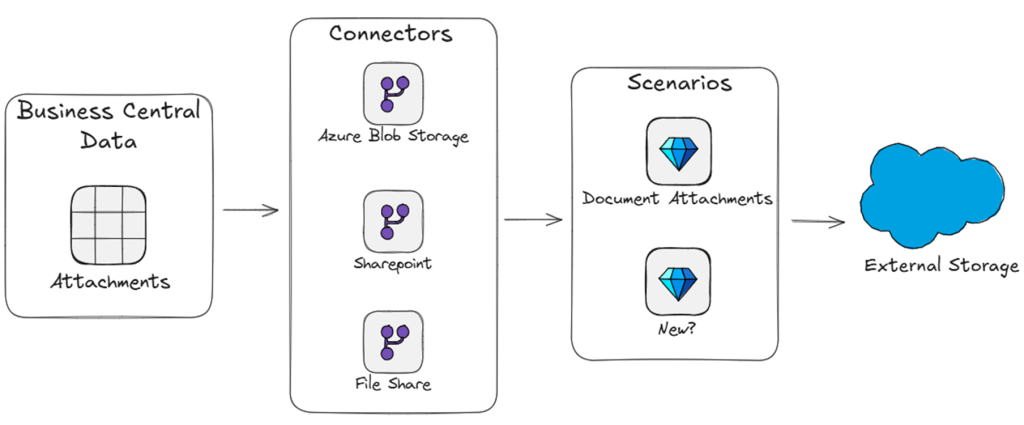
As part of the ongoing co-development initiative with Microsoft, I have contributed a new application that integrates the External File Storage module with the Document Attachments feature in Business Central. This new scenario enables users to:
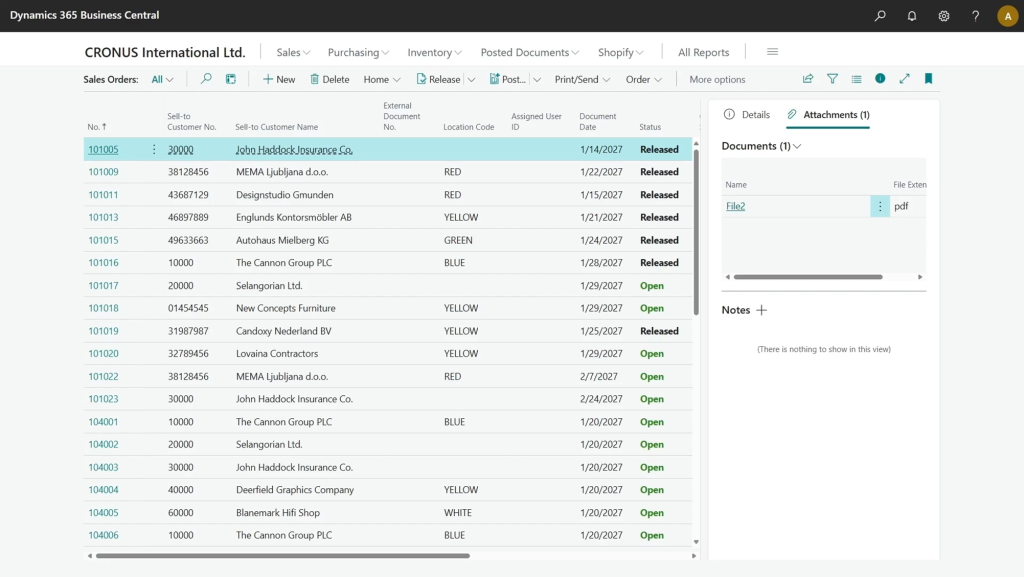
- Upload attachments directly to external storage.
- Browse and retrieve files from external locations.
- Configure file naming conventions to avoid overwrites using GUID-based identifiers.
- Delegate folder-level access based on origin tables (e.g., Sales Header, Customer).
- Maintain traceability and restore capabilities across companies and environments.
How to setup it?
First use case:
File naming to avoid overwrites
In Business Central, it is common for multiple documents to share the same filename. For example, two different invoices from separate customers Invoice.pdf. When these files are uploaded to external storage without modification, the risk of overwriting becomes significant—especially in flat folder structures or shared repositories.
To mitigate this risk, the External File Storage module introduces a systematic file renaming strategy using Globally Unique Identifiers (GUIDs). Before a file is uploaded, the system appends a unique GUID to the filename.
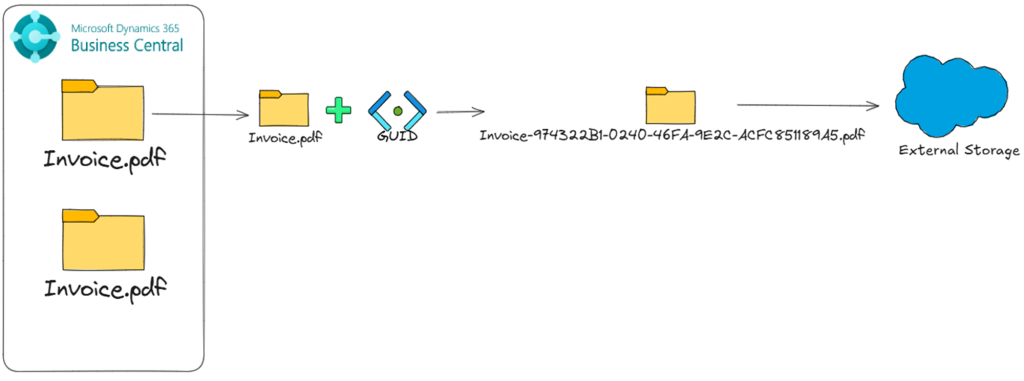
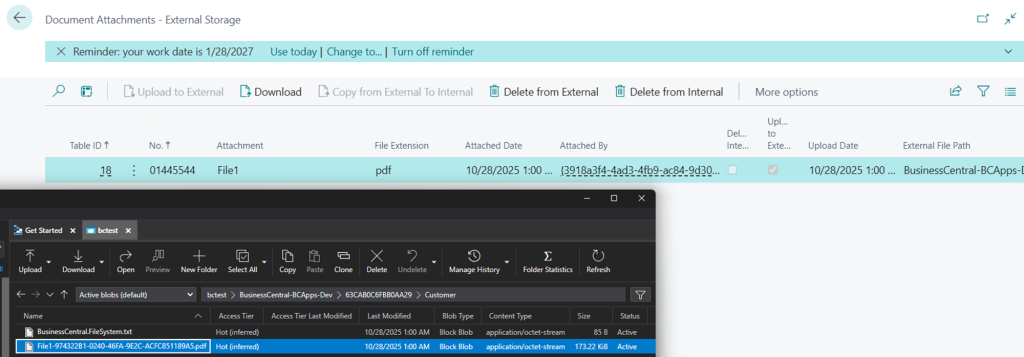
This approach guarantees filename uniqueness.
Folder break-down by origin table
When files are offloaded to external storage without context, they often end up in a single-level folder or loosely grouped by date or user. This makes it difficult to:
- Identify the source of a document
- Apply granular permissions
- Restore or migrate data across companies or environments
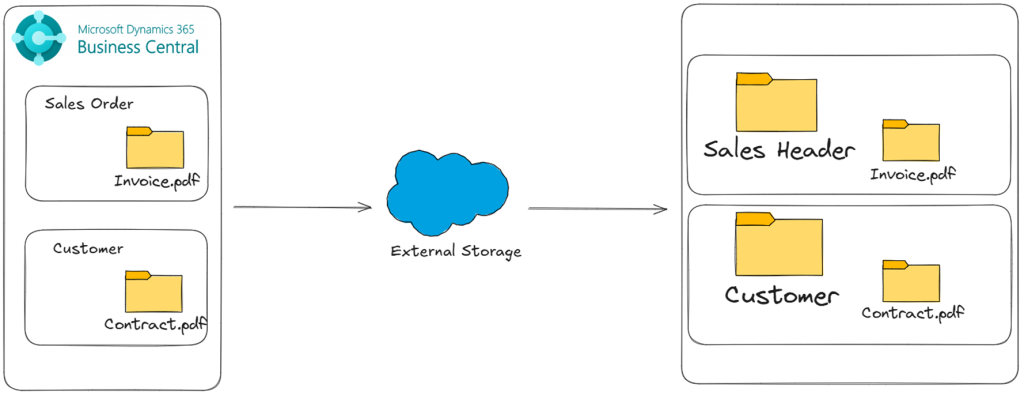
The module maps each document to its origin table in Business Central and stores it in a corresponding folder within the external storage system. For example:
- A file attached to a Sales Order is stored under the
Sales Headerfolder. - A file linked to a Customer record is stored under the
Customerfolder.
This structure ensures that every file is contextually grouped, mirroring the logical relationships within Business Central.
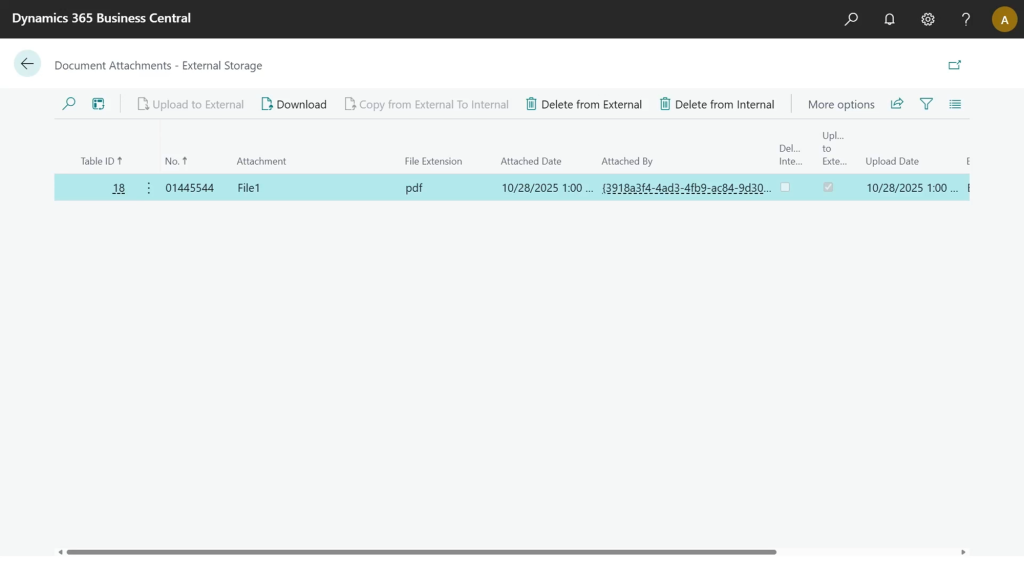
Permissions scenario:
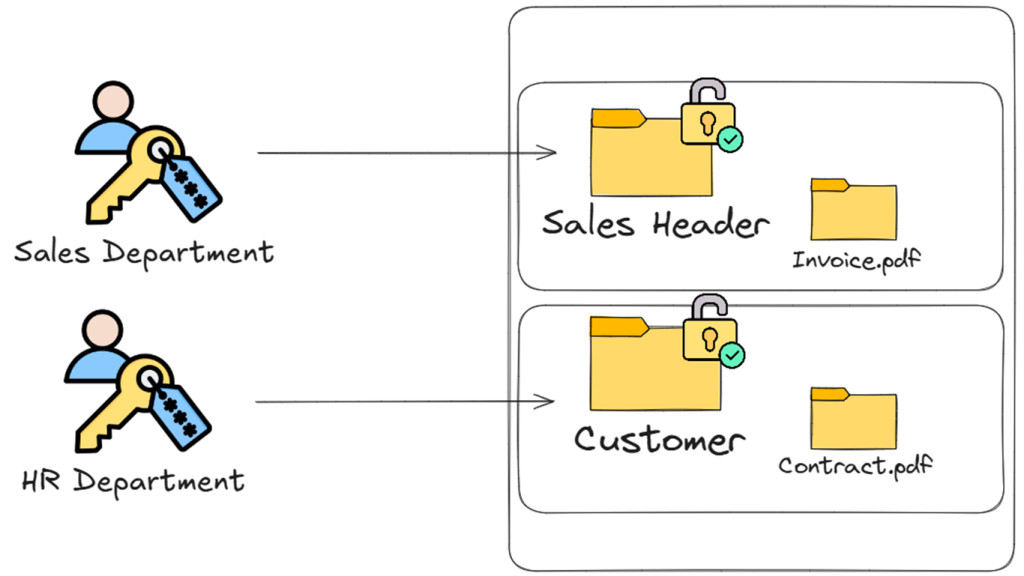
Restore/Copy Envirionment / Copy Company
When restoring an environment or copying a company, Business Central handles structured data effectively. However, attachments stored in external systems—such as Azure Blob Storage or SharePoint—require additional logic to ensure consistency. Without a structured approach, files may be lost, duplicated, or incorrectly linked, compromising data integrity and user experience.
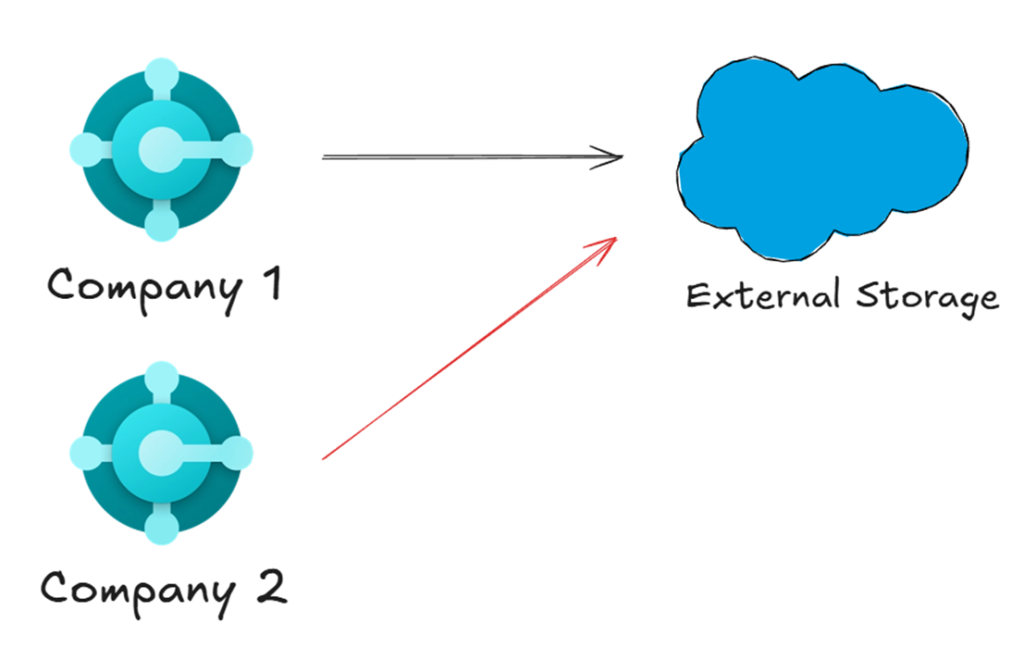
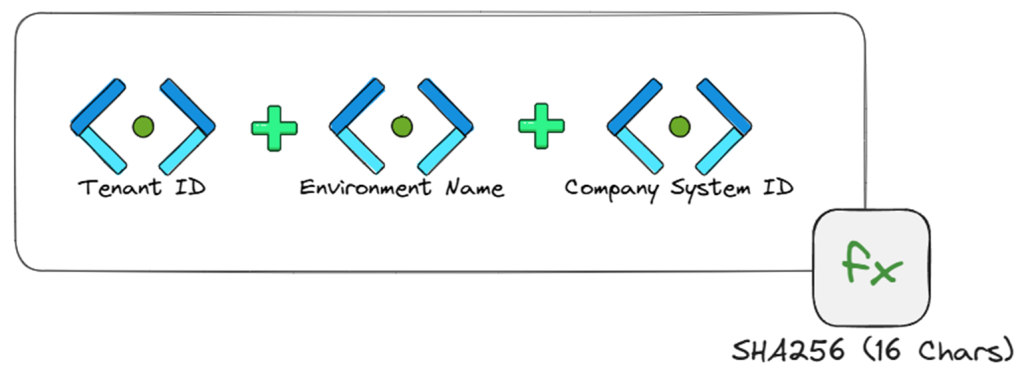
The module generates a unique identifier by combining three key components:
- Tenant ID: Identifies the Business Central tenant.
- Environment Name: Distinguishes between production, sandbox, or custom environments.
- Company System ID: Uniquely identifies the company within the environment.
These components are concatenated and processed using the SHA256 hashing algorithm, producing a 16-character hash that serves as the root folder name for external storage.
Demo:
Folder structure
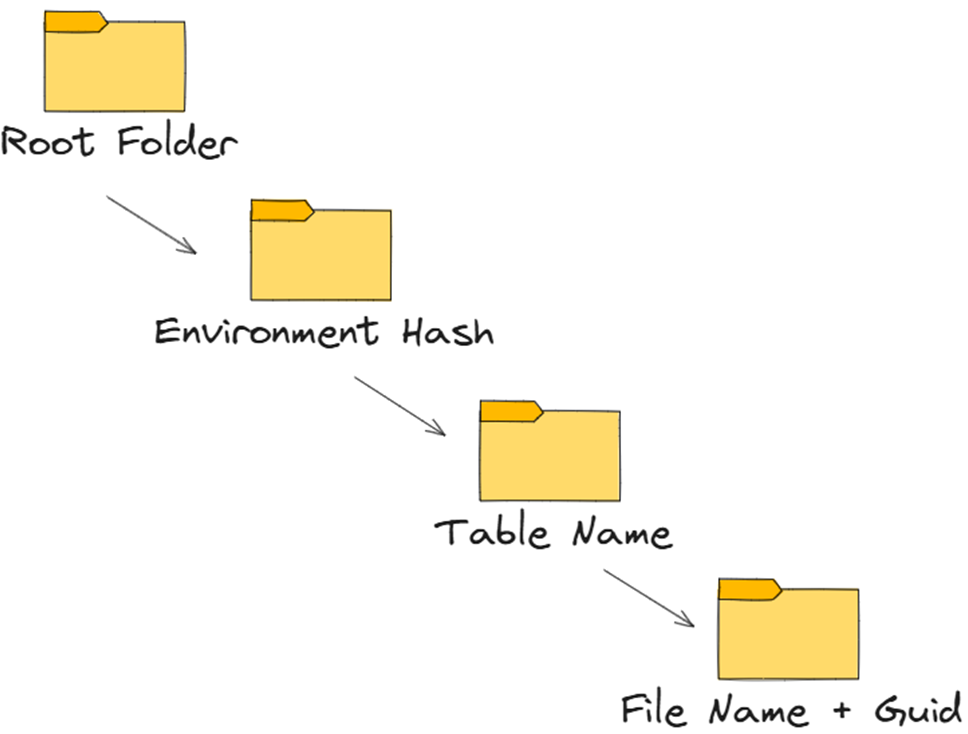
The module organizes external storage using a four-level folder hierarchy:
- Root Folder
The top-level directory that serves as the entry point for all external storage operations. - Environment Hash
A subfolder generated using a SHA256 hash of the tenant ID, environment name, and company system ID. This ensures uniqueness and prevents collisions across deployments. - Table Name
A subfolder representing the origin table of the attachment (e.g.,Sales Header,Customer). This aligns with Business Central’s internal data structure. - File Name + GUID
The final level contains the actual file, renamed with a GUID to ensure uniqueness and prevent overwrites.
Clean start or Rollback
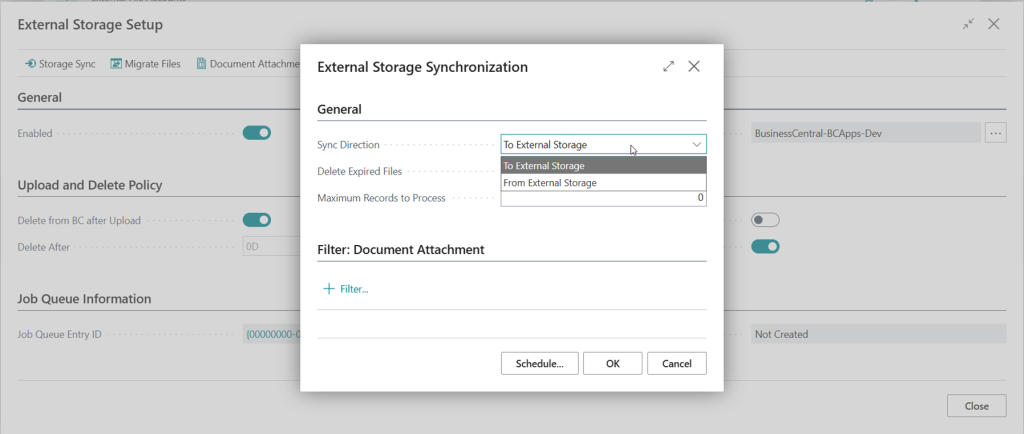
Easy way to clean start on your current environment:
Migration from other Tenant, Environment or Company
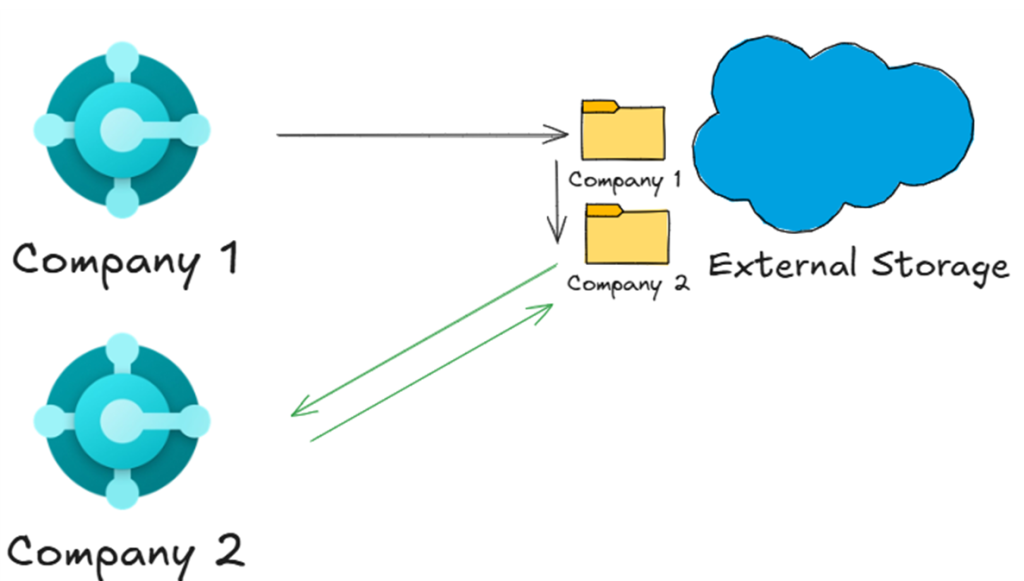
Looking Ahead
The External File Storage module is a foundational step toward scalable, cost-effective data management in Business Central. By decoupling file storage from the core database, it empowers partners and customers to optimize performance, reduce costs, and maintain compliance with evolving data governance requirements.
You can review the implementation details, scenarios, and architecture directly on GitHub:
View the pull request → microsoft/BCApps #4495
Your insights are invaluable. Whether it’s technical suggestions, scenario validation, or usability improvements—we are actively seeking feedback to refine the module before general availability.
Please share your thoughts here, on LinkedIn comments, or through the mail. Together, we can ensure this solution meets the real-world needs of Business Central deployments at scale.
Related posts

MB-800 Decoded: 24 Business Central Scenarios and the Reasoning Behind Each Answer
General · 30 Jul 2026
How to create new Sales/Purchase Price List lines with Edit in Excel
BC Learn · 20 May 2025

Tips for your AL projects
Development · 20 Jan 2025

Conducting UAT and Hidden Features of Page Scripting
BC Learn · 8 Jul 2024